
Download Macromedia DreamWeaver – web development, website creation, HTML editor, code editor, web design tool, DreamWeaver, HTML5, CSS3, JavaScript, PHP, Flash integration, Adobe Creative Suite
Overview
Macromedia DreamWeaver is a software application designed to facilitate website creation and web development tasks. The app aims to simplify the process of building websites, whether from scratch or for complex, structured projects. It provides a graphical interface that allows users to visualize the code being generated in real time, ensuring precision and quality in the design. This tool is particularly useful for individuals and teams involved in web development who need to create interactive and dynamic websites.
Target users include both beginners in web development and experienced developers seeking a comprehensive toolset. The app's user-friendly interface supports learning and experimentation, making it accessible to novices while offering advanced features for professionals. Real-world use cases include creating business websites, personal portfolios, and dynamic web applications that require integration of multimedia and scripting.
Although the developer did not provide additional technical details about the company's background, Macromedia was a well-known software company in the early 2000s. The app's significance in the web development ecosystem lies in its role as a pioneering tool that combined visual design with code editing, bridging the gap between design and development. Its integration with the Adobe Creative Suite further enhanced its utility for professionals using other Adobe products.
Key Features & Functionality
- Graphical interface with real-time code visualization for precise web design.
- Tools for creating advanced components such as custom tables, Flash videos, and JavaScripts.
- Support for programming in PHP, allowing for server-side scripting.
- Code coloring to improve readability and understanding of the code structure.
- Ability to test webpages on a configured server before deployment.
- Integration capabilities with other software in the Adobe Creative Suite.
These features enable users to build interactive websites with dynamic elements. For example, a beginner can use the visual interface to design a layout and see the underlying HTML and CSS code, helping them learn web development fundamentals. An experienced developer can leverage the PHP support and server testing to build and debug complex web applications. The Flash integration allows for rich media content, while the code coloring aids in identifying syntax errors and improving code maintenance. The ability to test on a configured server ensures that websites function correctly before going live, reducing deployment risks.
Interface, UX & Performance
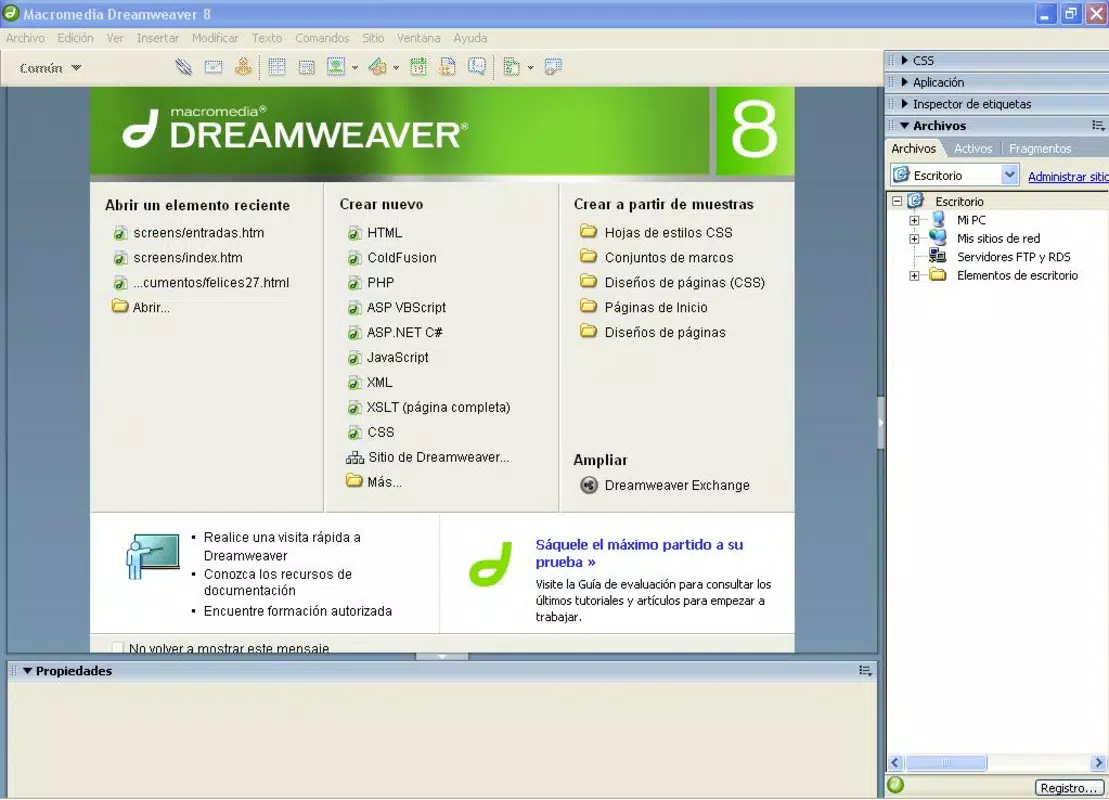
The interface of Macromedia DreamWeaver is designed around a graphical layout that supports both visual and code-based editing. The visual style emphasizes functionality and organization, with panels for code, design, and assets. Navigation is structured to allow users to switch between design and code views seamlessly, which is beneficial for users who work in both modes.
Usability is enhanced by the intuitive layout and the ability to customize the workspace. The app's responsiveness and stability are not explicitly detailed by the developer. Although the developer did not list formal performance metrics, the app's design suggests it is optimized for desktop environments. Users can expect smooth operation on systems meeting the minimum requirements, though specific requirements were not listed.
Platform Compatibility & Technical Requirements
Macromedia DreamWeaver is available for the PC platform. The software version is 6.0, released on May 1, 2002. The file size is 38 MB. The developer did not specify minimum OS requirements or compatibility with specific device categories. The app is priced at $0, making it free to download and use.
Pros and Cons
Pros
- Free to download and use, offering high value for users.
- Combines visual design with code editing for a comprehensive development experience.
- Supports multiple web technologies including HTML5, CSS3, JavaScript, PHP, and Flash integration.
- Real-time code visualization helps users understand and refine their code.
- Integration with the Adobe Creative Suite enhances workflow for professionals.
Cons
- Platform is PC, which limits accessibility on mobile devices.
- Version 6.0 is outdated, released in 2002, and may not support modern web standards.
- Developer did not provide detailed technical specifications or system requirements.
- Compatibility with current operating systems is not confirmed.
- Latest version may not be available, and updates are not documented.
FAQ
Is Macromedia DreamWeaver available for mobile devices?
The app is designed for the PC platform, and there is no information available about mobile availability.
Can I update Macromedia DreamWeaver to a newer version?
The provided information lists version 6.0, released in 2002. The developer did not provide details on updates or newer versions.
What are the system requirements for running this app?
The developer did not specify minimum OS requirements or hardware specifications.
Is Macromedia DreamWeaver safe to download and use?
The app is free and was released by Macromedia. However, due to its age, it may not be compatible with current security standards.
Can I use Macromedia DreamWeaver for modern web development?
While the app supports HTML5, CSS3, and JavaScript, its version is from 2002, which may limit its ability to meet current web development standards and practices.
Final Thoughts
Macromedia DreamWeaver offers a unique blend of visual design and code editing, making it a valuable tool for web development. Its free availability and support for multiple web technologies provide a solid foundation for creating websites. However, its age and platform limitations are significant drawbacks.
For users with legacy systems or specific needs, it may still be useful, but it is not suitable for modern web development. The app's integration with the Adobe Creative Suite is a notable advantage for professionals in that ecosystem. Despite its outdated status, it remains a historical milestone in web development tools.
Download Macromedia DreamWeaver now


